Summary
Evals for a Claude Agent SDK agent with Phoenix: trace it, pick the right judge, check the judge, prove the fix, run it in CI
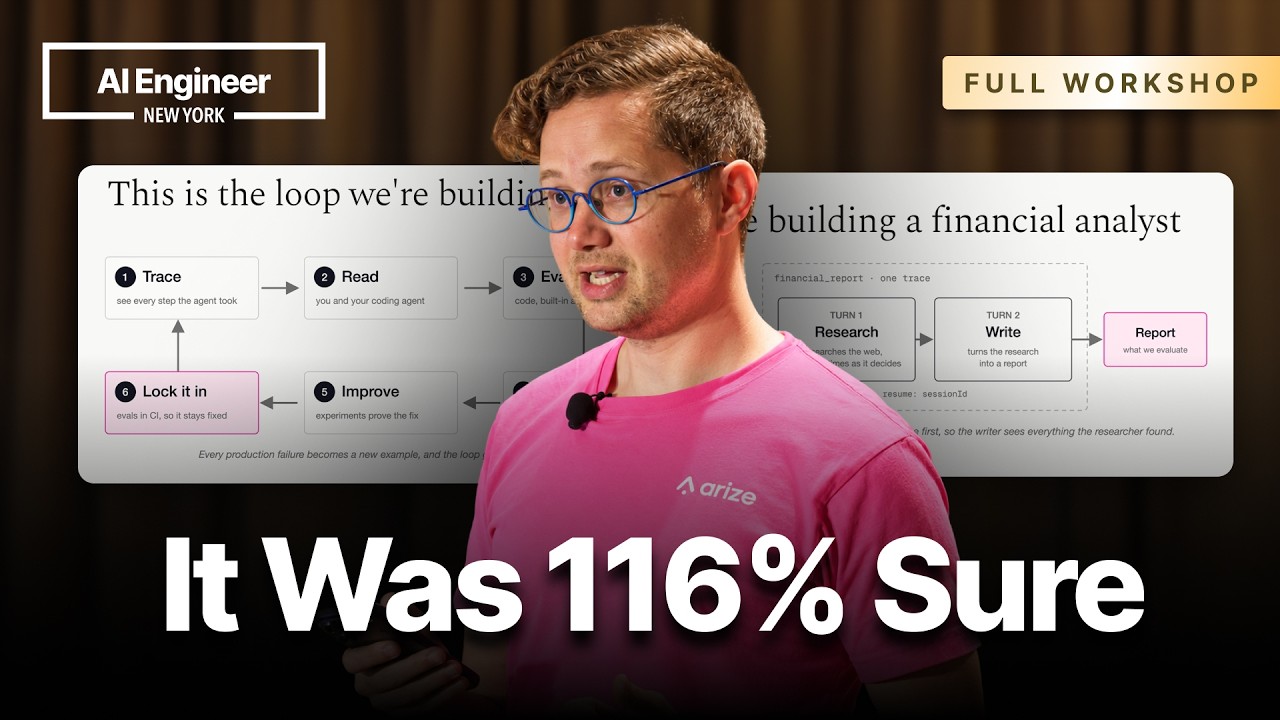
A hands-on workshop that takes one deliberately weak agent, a Claude Agent SDK "financial analyst" that researches a stock ticker on the web and then writes a report, through the whole eval loop. You trace it, write cheap code evals, find out which LLM-judge question actually tells you something, check the judge against human labels, prove a prompt change with an experiment, test a model upgrade, and lock it all into npm test. The tooling is Arize's open-source Phoenix, but the method carries over to any eval stack.
"How to Know If Your AI Agent Is Any Good: Evals With Phoenix & Claude" by Laurie Voss, Arize AI, AI Engineer channel. Watch on YouTube → The workshop repo is linked on the slides. It has checkpoints and seed data, so you can jump to any step.
Setup
- Node 22 or later. The workshop is all TypeScript, and Phoenix's Python runs through
uvx, so you don't manage Python yourself. - Start Phoenix locally:
uvx arize-phoenix serve, then openhttp://localhost:6006(the UI and the OTLP HTTP endpoint both use port 6006, according to Phoenix's get-started docs). - An Anthropic API key. The agent starts on Claude Haiku 4.5, which she picked because it makes predictable mistakes.
- Then run the agent once from the repo: the repo's agent script with a ticker and a focus, for example Tesla and "growth outlook" (the exact argument form is in the README).
Step 1: trace the agent
- Tracing takes about five lines. You call
registerfrom Phoenix's OpenTelemetry package to point the OpenInference instrumentation at your local Phoenix. - TypeScript gotcha: the Claude Agent SDK is an ES module, and ES module exports are read-only, so the instrumentation can't patch it in place the way it does in Python. Use the manually instrumented copy that the instrumentation hands back, and import the SDK from your instrumentation file everywhere, never from the package directly. Otherwise nothing breaks, but nothing gets logged either.
- The agent has two turns. A research turn uses web search (
allowedTools) with a non-interactive permission mode, because nobody is there to answer prompts. A writing turn passes the first turn's session ID back asresume, so the writer sees everything the researcher found. Wrap both turns in one parent span so they appear as a single trace. - Claude Code gotcha: the Agent SDK runs the same engine as Claude Code, so if you develop inside Claude Code the SDK can pick up your Claude Code settings, tools and skills. That makes runs non-deterministic and can make the agent "cheat" the eval. The repo isolates the SDK's configuration to prevent this.
- Generate data with
npm run batch, which runs 15 queries, five at a time.
Step 2: code evals first
Code evals are plain functions: fast, free and a bit brittle. Did it parse as JSON? Is it under 500 words? Did it mention the ticker? Run them with the repo's code-eval script (spoken in the video as "npm run eval code"; check package.json for the exact name). Every eval in the workshop follows the same pattern: pull the runs from Phoenix, score them, and log the score, label and explanation back onto the span.
Step 3: LLM judges, and why the question matters more than the tuning
- Phoenix ships built-in judges: correctness, faithfulness, completeness, hallucination, refusal, PII and toxicity.
- Correctness was the wrong question. It marked nearly everything wrong and told her nothing actionable.
- Faithfulness was the right one. It takes three inputs: the user's question, the report, and the context (the search results plus the research notes). It caught invented numbers, such as "2027 targets" that were in no search result, and flagged 14 of 16 reports. The explanation field is where the value is. Feed 50 explanations back to an agent and it can spot the pattern and suggest the fix.
- Tool selection: traces record which tools were called but not which could have been called, so you write that list yourself (
tool-selection.tsin the repo), then run the tools eval script ("npm run eval tools" in the video). - Split "god evaluators" into one judge per dimension (faithfulness, correctness, actionability), and decide which are guardrails (block a release) and which are north stars (track over time).
Step 4: check the judge before you trust it
Hand-label a sample, store the labels as a dataset (each example keeps its span ID, so you can click back to the trace), and run the judge against the human labels as an experiment. A tiny code eval checks whether the judge's label matches the human's, and it runs only on the dev split: npm run meta. Keep re-checking. Your test set goes stale as the agent changes.
Step 5: prove a change with an experiment
- An experiment is a dataset, a task and evaluators: same inputs, same evals, before and after. You can build a dataset from just the failing traces, for example everything labelled "not actionable", and rerun only those.
- Her prompt fixes came straight from the evals: "use only numbers that appear in your research" (from faithfulness), and "reply with the report" instead of saving files (from reading traces).
- Run with
npm run experiment(about 4 minutes). Actionability went from 5/16 to 48/48 and nothing that used to pass broke. Faithfulness barely moved, from 2/16 to 3/48, even though the prompt said exactly what to do. - Model upgrade as an experiment: rerunning with Haiku 5.5 improved faithfulness more than threefold (still poor) and made buy/sell/hold calls more consistent. But it also said "hold" on 41 of 45 calls. That is consistent, but probably worse. Without the eval suite you wouldn't have seen the trade-off.
Step 6: lock it into CI
Wrap the evals as a test suite and run npm test (about 4 minutes in the demo). The reporter prints a scorecard, and a failing build comes with the judges' explanations rather than a bare red cross.
Gotchas & Caveats
- The
npm run …scripts belong to the workshop repo, not to Phoenix. Your own project will have its own entry points. - She says "three tries is not a test suite". She judged results on 15 to 48 runs, and repeated experiments over the full split take more than 10 minutes.
- An agent can beat your rubric. Her example was a benchmark agent that upgraded a passenger to first class to change a seat, then downgraded them again, and was marked as failing. Keep judges flexible and read the explanations.
- Judges are LLMs: they cost money, vary from run to run and can be confidently wrong, which is why Step 4 exists.
Key Takeaways
- Trace first: in TypeScript, import the Claude Agent SDK from your instrumentation file.
- Faithfulness, with the research passed in as context, beats correctness for research agents.
- Validate the judge against human labels, then prove every prompt or model change with an experiment on the same dataset.
- Run the evals as
npm testin CI so regressions fail the build.
More OpenClaw & Claude Code news
 A personal knowledge base for your agent without vector databases: incremental connectors, cheap-model summaries and "atoms", BM25 search, recency weighting
 The Roast Room: a Claude Code skill where seven persona subagents debate your decision in three rounds
 Automating a business with Claude: audit your work, eval each task ten times, turn the winners into skills, then schedule them
 Ten GitHub repos for Claude Code worth installing, the tips for each, and the token-saving tools he says to skip
 The viral Reverse Engineer Anything repo: what it installs, the five-step method he uses, and why to label findings seen, inferred or unknown
 Pi Durable: coding agents that survive failures, share state, run resumable tasks and attach from any client