Published: 2026-05-13

 The Overnight Agent Loop: How a CTO Ships 2–10 PRs a Week
 Claude Managed Agents: three primitives for production agent infrastructure
 Claude Cowork Is a Game Changer — If You Use It Correctly
 12 Claude CoWork Skills That Save 10+ Hours a Week
 Claude Managed Agents Add Dreaming, Outcomes, and Multi-Agent Orchestration
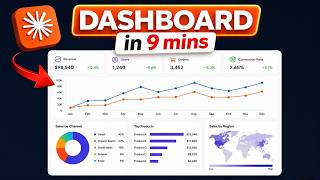 Build a Multi-App Dashboard in 10 Minutes with Claude Cowork Live Artifacts
Build a Live Data Dashboard in Claude Cowork in Under 3 Minutes
Chapters / key moments (click to jump — plays here on the page)
Live artifacts in Claude Cowork let you build interactive dashboards that pull real data from connected services—not static reports, but panels that refresh from your actual accounts. Allie K. Miller shows how Claude auto-detected her Fireflies connector without being told and built a meeting intelligence dashboard surfacing top contacts, discussion topics, and strategic weekly actions. Iterating with natural language—asking for dark mode, neon colors, and strategic framing—transformed a basic summary into an actionable command center.
Source video
"Here's how to build a live artifact in Claude Cowork in under 3 minutes." by Allie K. Miller — Watch on YouTube →
Key Takeaways
- Live artifacts connect to real data sources (Fireflies, Google Drive, calendar) via connectors in Claude Cowork's Browse Connectors panel.
- Claude auto-detects available connectors and uses them without you naming them explicitly in the prompt.
- Natural language iteration works for design: prompts like "make it dark mode with neon teal, add strategic takeaways at the top" update the artifact immediately.
- The meeting intelligence dashboard surfaced: 12 meetings in 30 days, top collaborator, top topic (AI agents), and 3 strategic moves to improve the next week.
- Use case: replace static task boards with live intelligence panels that tell you what to act on, not just what happened.
More Claude Cowork news
The Overnight Agent Loop: How a CTO Ships 2–10 PRs a Week
Claude Managed Agents: three primitives for production agent infrastructure
Claude Cowork Is a Game Changer — If You Use It Correctly
12 Claude CoWork Skills That Save 10+ Hours a Week
Claude Managed Agents Add Dreaming, Outcomes, and Multi-Agent Orchestration
Build a Multi-App Dashboard in 10 Minutes with Claude Cowork Live Artifacts