Deep dive
Six steps to Codex skills that hold up: reverse-engineer, one trigger, verify, walk the model down
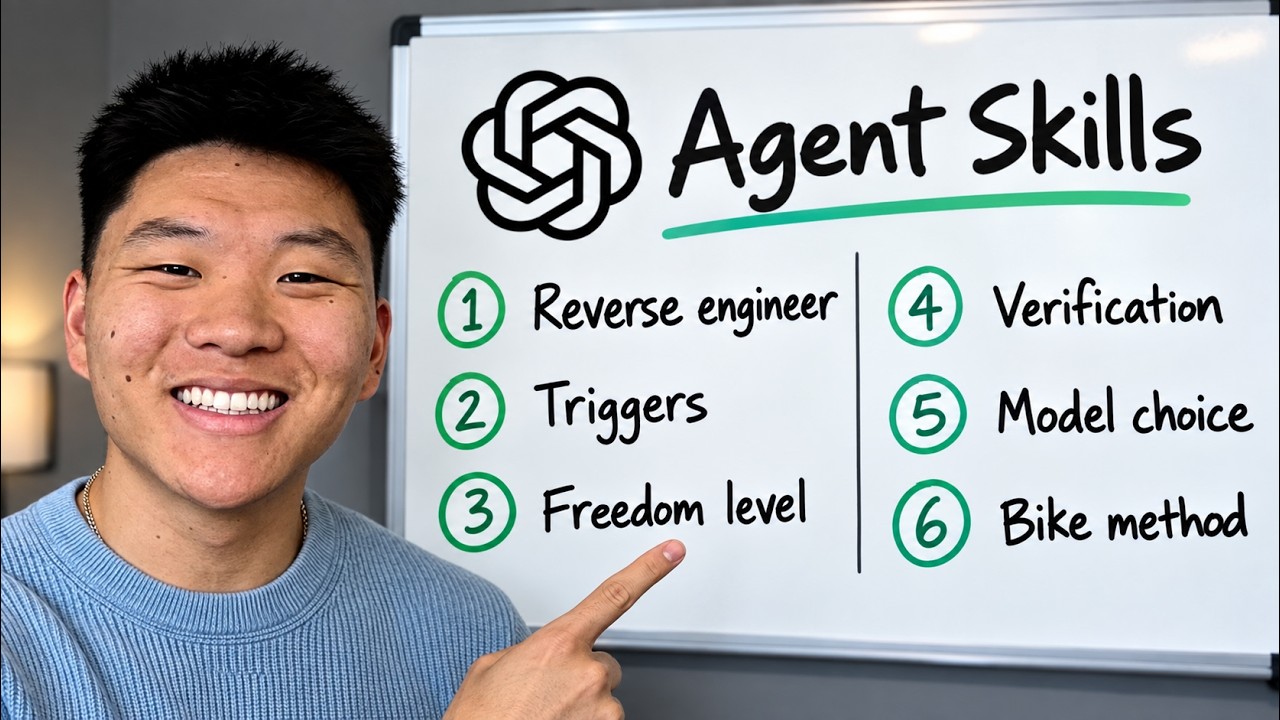
Most skill advice stops at "write a SKILL.md". This video is about the part after that: how to make a skill produce the same quality every time, and how to stop paying frontier-model prices for it. The two ideas worth taking away are verification loops with objective and subjective checks, and walking a finished skill down the model list. In his own test, the cheapest model (Luna) did better than the mid-tier one (Terra) on the same skill.
"How to Build Codex Skills Better than 99% of People" by Nate Herk — Watch on YouTube →
Step-by-Step Breakdown
- Reverse-engineer from the output.
Start with a finished deliverable you already like, such as last week's report spreadsheet, and ask the agent to walk backwards through it: what data it used, where the data came from, how each value was calculated, how it was formatted. That gives the skill a clear definition of done. "Build me a skill for a YouTube dashboard" does not.
- One specific job, one specific trigger.
A
SKILL.mdis YAML front matter (between---lines:name, a description of when to use it, and optional fields likeargument-hint) followed by markdown instructions. Break a role into tasks and give each task its own skill. A skill called "run the marketing team" cannot have a precise trigger, so the agent invokes it inconsistently. - Set the freedom level.
If the task is deterministic (copy spreadsheet cells into a CRM), write numbered steps with no room to interpret. If it needs judgment (turning a video into an article), describe what good looks like and let the model decide the details. Hard-coding "screenshot at 1:00, 2:00, 5:00" into a judgment task makes every output generic.
- Verification, which he calls the most important step.
Every skill ends in a loop where the same agent or a sub-agent checks the output and sends it back until it passes. Split the checks into objective ones you can prove ("10 screenshots", "every fact checked by a second agent") and subjective ones judged by an LLM ("does it sound like me", "are screenshots cropped"). His skills end with a QA report listing what was verified.
- Walk it down the model list, then down the effort levels.
Once the skill works on Astra, run the same prompt on Soul, then Terra, then Luna. Stop at the cheapest model that matches. Then try lower effort settings on that model. Simple skills like writing YouTube descriptions run fine on Luna or Haiku.
- Keep improving it every run.
After each run, tell the agent what you liked and what you didn't, and have it update the skill. Judgment-heavy skills are never really finished. His X-article skill has been through 25 or more revisions.
Where skills live
# Codex (project level)
.agents/skills/<skill-name>/SKILL.md

# Claude Code (project level)
.claude/skills/<skill-name>/SKILL.md
Global skills live outside the project and apply to every project. To reuse skills across harnesses he asks one agent to copy the other's skills folder. If you use both tools, see our note on Claude Code now reading AGENTS.md for the matching instruction-file change.
The walk-down test, as shown
- The skill: turn a YouTube video into a long-form X article. It transcribes, screenshots, crops, places images, and redacts sensitive details, all in the browser.
- Luna: 28m33s, placed screenshots well, added spotlight effects. A usable draft.
- Terra: 26m, weaker. It opened with a cut-off image and left four images stacked at the end, so verification didn't catch everything.
- Soul: 38m, comparable to Luna.
- Across several videos he still gets the best results from Astra on low effort with fast mode, which is why he says to test on a few examples before switching.
Key Takeaways
- A skill built from a real finished output beats one built from a description.
- One job per skill makes its trigger reliable enough to auto-invoke.
- A mid-tier model is not guaranteed to beat a cheaper one on your skill. Test it.
- Have the skill produce a QA report so you can see what it checked, not just what it made.
Build your own: our skills guide has a copy-paste "write it yourself" prompt and the safety checklist for third-party skills.
More ChatGPT news
 The reported OpenAI agent breach of Hugging Face, and five rules for running your own agents: sandbox, deny network, scoped credentials, no shared writable folders, verify outside
 Hy-Memory: Tencent's open 30B-A3B memory writer, served locally with vLLM and tested on a Seattle-to-Sydney fact update
 Getting started with the Codex desktop app: where it runs, which model and effort to pick, /goal, recording a skill, plugins and your dot
 OpenAI Dots hands-on: setup, the privacy toggle to flip first, what it can do and where it was buggy
 Build your own agentic harness in Python: the loop, tool calling, MCP servers, memory and model switching
 GPT-6 Astra Ultrafast in Codex: how to switch it on, what it costs, what it built