Published: 2026-11-28
Summary

 A self-updating LLM wiki for your agent: raw and wiki folders, CLAUDE.md rules, and a refresh step
 NVIDIA OpenShell hands-on: deny-by-default network, rules proposed from denials, placeholder API keys
 1,000 Claude agents with only Git and a SQL database, and why agent memory needs "dreaming"
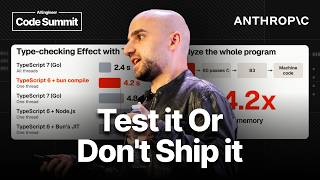 Shipping millions of agent-written lines: how Bun's AOT compiler was built and verified with Claude
 Stop hitting Claude Code limits: keep the prompt cache intact, one task per session, short CLAUDE.md
 Claude Code Code Mode tested: how to turn it on, 35% fewer input tokens, and where it is slower
Summary
Install a Claude artifact as a desktop app: permissions, storage, and why to duplicate the demo apps
Chapters / key moments (click to jump — plays here on the page)
Anything Claude builds in a chat as an artifact can now be installed as an app on your computer, with its own icon and window. The video builds and uses an image-editor app, explains what these apps can access, installs Anthropic's example apps and shows the one step that makes an example app fully yours. Details are as shown in the video and the announcement it walks through.
Source video
"Anthropic Just Turned Claude Into an App Builder (Master it in 12 mins)" by Bart Slodyczka — Watch on YouTube →
How to install one
- Update the Claude desktop app. The video shows version 6.289 or newer. The feature is in beta on Mac and Windows, on every plan.
- Open the artifact's share menu and choose Install as app. It gets its own icon and window and opens from the dock or Start menu.
- Answer the permission prompts. Each app asks for what it needs (for example file access, or reading system performance data) the first time. Approved permissions are remembered.
- To start from an example, open one of Anthropic's example apps, choose Open in the desktop app, then install it. The video finds 11 examples (a system monitor, a to-do app, a terminal viewer, folder automations and others) through the All apps link.
- Duplicate an example before relying on it. An installed example still belongs to Anthropic's organization, so permissions such as exporting files or using Claude inside the app don't work. After you duplicate it, it belongs to your organization and those permissions can be granted.
What these apps can do
- Use Claude inside the app on your normal plan, with your connectors such as Gmail or Calendar. No API key, no packaging, no code signing.
- Store their own data (the video says up to 100 MB), so they remember things between sessions. Editing the artifact updates the installed app.
- Ask for extra permissions: notifications, a menu-bar icon, keyboard shortcuts that work in other apps, staying on top of other windows.
- Full computer access, which lets an app run programs and change your files, is available only for apps you make yourself.
Caveats
- Anthropic does not review these apps before you install them, so give full access only to apps you built or trust. An update asks for permissions again.
- Apps that act on their own (for example sorting email into to-dos) run only while your computer is on.
More OpenClaw & Claude Code news
A self-updating LLM wiki for your agent: raw and wiki folders, CLAUDE.md rules, and a refresh step
NVIDIA OpenShell hands-on: deny-by-default network, rules proposed from denials, placeholder API keys
1,000 Claude agents with only Git and a SQL database, and why agent memory needs "dreaming"
Shipping millions of agent-written lines: how Bun's AOT compiler was built and verified with Claude
Stop hitting Claude Code limits: keep the prompt cache intact, one task per session, short CLAUDE.md
Claude Code Code Mode tested: how to turn it on, 35% fewer input tokens, and where it is slower