Summary
Hyperframes Studio: draw on a frame, let your coding agent fix the video, and what it needs to run
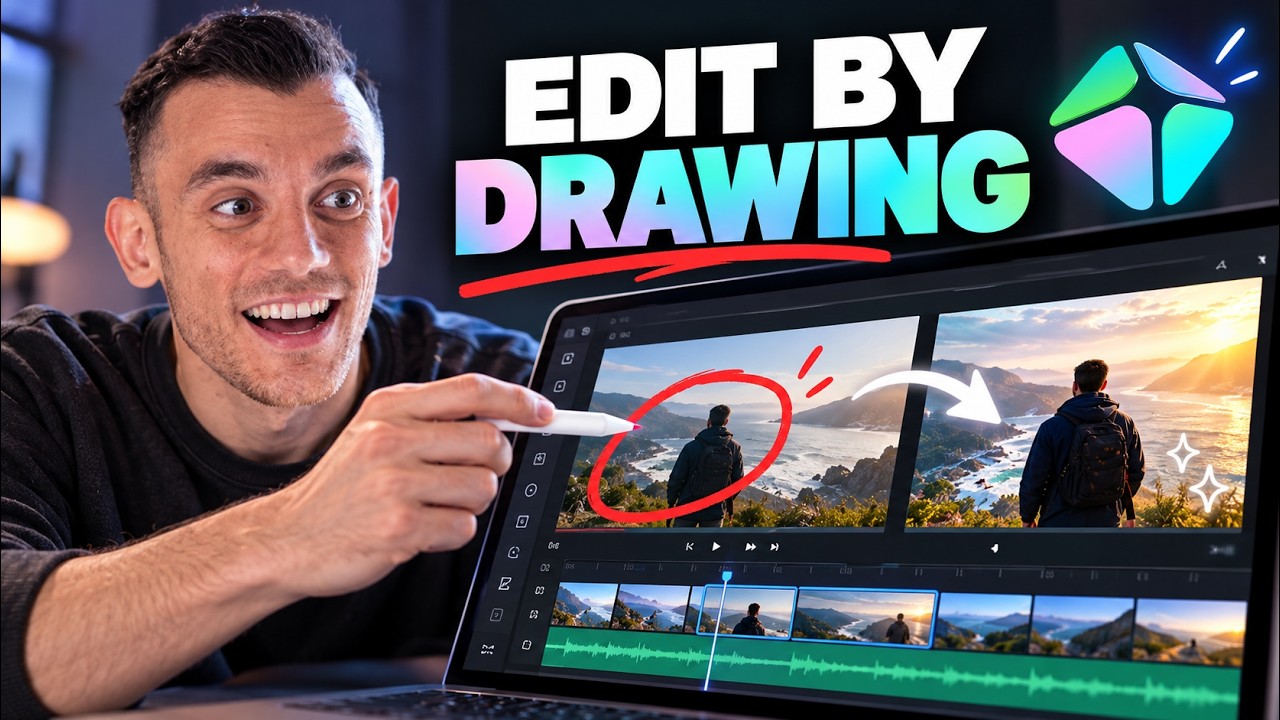
Hyperframes, the open-source project that lets a coding agent build video from HTML, CSS and JavaScript, has a visual editor called Studio. This video from a channel fronted by an AI avatar describes it as the editor "built for agents": you and the agent work on the same timeline, you stop on a frame, draw on it, and the agent applies the change. The creator also points out that it runs on Mac and Linux today. The page keeps what is usable and marks what the project's own repository doesn't state.
"Your AI Agent Can Now Edit Videos For You" by Julian Goldie SEO — Watch on YouTube →. It includes repeated community pitches, which are not part of the workflow.
How it works, as the video describes it
- Describe the video in plain words: who it's for, how long, what viewers should do at the end. Start small; his advice is a 15-second video first, then longer.
- The agent builds the project as code (HTML, CSS, JavaScript), using the Hyperframes skills for Claude Code, Cursor, Gemini CLI or Codex.
- Open Studio and watch it. It has a timeline you can scrub, a live preview, a property panel (click text to see its size and position), a source editor and a file browser.
- Mark what's wrong. Stop at the frame (his example: the join button is too small at 7 seconds), draw on it or leave a comment, such as "make this bigger and move it higher".
- The agent makes the change. An agent activity track on the timeline shows what it touched and when.
- Export as MP4.
His example brief: "Create a 20 second video for [a community]. Show a busy business owner who spends hours on boring tasks. Then show how AI automation saves that time. End with a clear button to join. Keep the style clean and friendly." The lesson he draws is to be specific about timing and placement ("show the problem in the first 3 seconds and put the join button in the last 2") rather than "make it better".
What the project's own page confirms
The Hyperframes repository is Apache 2.0 with no per-render fees, needs Node.js 22 or newer and FFmpeg for the CLI route, and names Claude Code, Codex, Cursor, Gemini CLI and other skill-capable agents. It describes Studio as a "browser surface for previewing and editing compositions", marked available and evolving. Install, per the README:
# Claude Code plugin
claude plugin marketplace add heygen-com/hyperframes
claude plugin install hyperframes@hyperframes

# any agent that supports skills
npx skills add heygen-com/hyperframes
npx hyperframes skills update          # non-interactive: installs the core set

# manual CLI flow
npx hyperframes init my-video
Our earlier page on the Hyperframes workflow covers the skills route in detail.
Gotchas & Caveats
- Platforms. He says Studio runs on Mac and Linux, with Windows and Windows ARM "coming soon". The repository mentions a native Mac and Linux app but doesn't state a platform list for Studio, so check before downloading.
- Not confirmed: the release date (he says October 5), the "agent activity track" and drawing on frames are not described in the repository page or the recent release notes we read. They're his account of a brand-new release; expect rough edges, as he says himself.
- Quality depends on the instruction: vague prompts give mushy results.
- The channel's own community and course are promotion; the open-source project is free.
Key Takeaways
- The loop is describe, build, watch, mark the frame, agent fixes, export.
- Install the skills with
npx skills add heygen-com/hyperframesor the Claude Code plugin commands above. - Check Studio's platform support before you plan around it, and start with a short clip.
More OpenClaw & Claude Code news
 Google's Android skills for coding agents: the install commands, writing your own SKILL.md, and which new claims we could not confirm
 GitHub Copilot CLI agents: build one with /agent, share it through a plugin marketplace, then run it headless in CI
 Designing a CLI for agents, not humans: JSON in and out, one pattern, a skill that ships with it, and Airbyte's MCP lessons
 Anthropic cut 80% of Claude Code's system prompt: how to audit your own skills and CLAUDE.md with /doctor
 Why Reducto deleted its one-tool-per-endpoint MCP server and rebuilt it with fewer, workflow-shaped tools
 Haiku 5.5 vs Sonnet 5.5 and Opus 5.5 on a dozen builds: what each cost, and where the gap was small