Berd: Block's open-source desktop app that runs Claude Code, Codex and Goose in one window
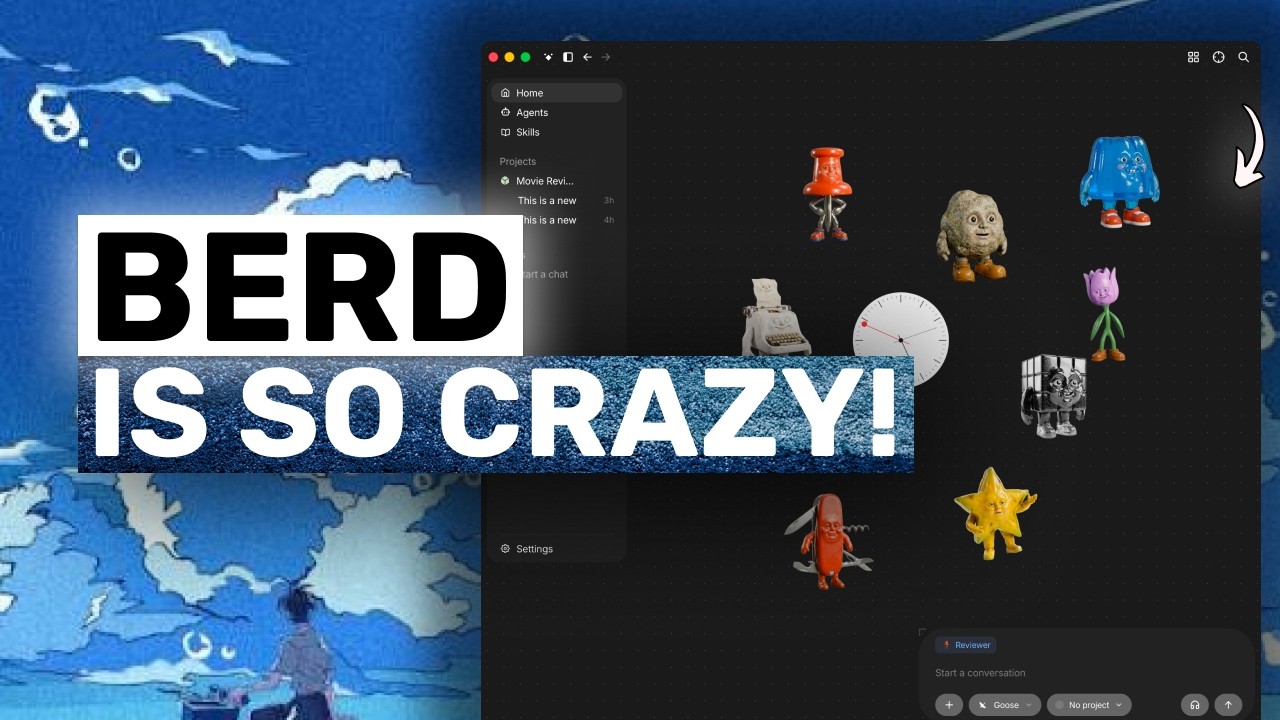
Block — the company behind Square, Cash App and the Goose coding agent — has open-sourced Berd, the desktop app its own teams have been using internally. It is a single window for whichever CLI coding agent you already pay for: Claude Code, Codex, Copilot, AMP, Cursor Agent and Goose all plug in through the Agent Client Protocol. It is free and Apache-2 licensed, you bring your own subscriptions or API keys, and the interesting engineering detail is that ACP is the integration seam — so any agent that speaks the protocol can be added.
"Berd: The Most FUN Coding Agent YET! (By Creators of Goose & Buzz)" by AICodeKing — Watch on YouTube →
Key Takeaways
- ACP is the integration mechanism, and that is the durable part. Berd talks to every harness through the Agent Client Protocol rather than through bespoke adapters — installing Codex support visibly pulls a Codex ACP adapter into Berd's app data. Any agent that speaks ACP can plug in, which makes this more interesting as a pattern than as a product.
- Reasoning effort is exposed in the UI. The chat box lets you pick the harness, then the model, then a reasoning effort from off all the way up to max. Having that surfaced as a first-class control rather than buried in a config file is unusual and genuinely useful for cost control.
- Claude Code failed to install; Codex worked. Selecting Claude Code during onboarding returned "setup hit a snag" with a retry button and a troubleshoot-in-chat option, but never said what actually went wrong. Codex installed cleanly. The app is days old, so expect rough edges — but this is the one to plan around if Claude Code is your primary harness.
- Agents are preconfigured personas you can @-mention. Each ships with its own instructions — one for working with Berd itself, one that learns your writing style, one that critiques drafts, one that builds new agents and skills. You can chat with any directly or pull one into an existing conversation with
@. There is also an agent builder that constructs custom agents with you, so non-technical users never hand-write a system prompt. - Skills work like Claude Code's. Typing
/opens a skills menu; Berd ships with several out of the box, including an agent-builder API and interface-design skill, a front-end skill, and a help skill. They are reusable instruction sets pulled in when relevant. - Projects are a name, a folder and a context box. You describe what the project is for, point it at a directory, and the agent works from there — the same shape as projects in other AI apps but with a real working directory attached.
- The agent asked before assuming, which is the right behaviour. Given an empty folder it inspected the workspace, recognised a greenfield project, and then stopped to ask whether movie data should come from a built-in catalogue needing no key or a live API needing one. Told to use the live API, it proposed routing calls through a small server-side proxy so the access token stays out of the browser, with environment-variable configuration and handling for a missing token. It also warned that generating in-browser mock-ups would be token-intensive before doing it.
- Free, open source, bring your own keys. Apache-2 licensed and available from the project's site and GitHub repo; you pay Block nothing and use whichever subscriptions you already hold.
Who it is for
The reviewer's read, which matches the design: Berd is aimed at people who would never open a terminal — guided onboarding, an agent picker, a canvas UI with character mascots wandering across it. If you already live in the terminal, the playfulness is more likely to get in the way than help. If you are paying for Claude Code or Codex and want a friendlier window onto them, it costs nothing to try. For the terminal-native alternative, see our CLI command reference and the Kilo Code and Claude Cowork hubs.
More OpenClaw & Claude Code news
 Hyperframes Studio: draw on a frame, let your coding agent fix the video, and what it needs to run
 Google's Android skills for coding agents: the install commands, writing your own SKILL.md, and which new claims we could not confirm
 GitHub Copilot CLI agents: build one with /agent, share it through a plugin marketplace, then run it headless in CI
 Designing a CLI for agents, not humans: JSON in and out, one pattern, a skill that ships with it, and Airbyte's MCP lessons
 Anthropic cut 80% of Claude Code's system prompt: how to audit your own skills and CLAUDE.md with /doctor
 Why Reducto deleted its one-tool-per-endpoint MCP server and rebuilt it with fewer, workflow-shaped tools